Tag Archives: futaba

Futaba Users !!… Missing Receiver Telemetry Data?? … Is Your Receiver Paired But Not Linked Perhaps?!!

This has been bugging me for a while. At last I’ve cracked it. Ever so pleased…

Are you a Futaba User who has not been able to make their transmitter show the onboard telemetry ?? By which I mean the onboard battery voltage and receiver signal strength!!

I can’t be the only one, can I??!! If you look online, there’s no shortage of RC Flyers asking the same thing.

I have two Futabas – different boats, from different suppliers (one transmitter direct from the Futaba distributor, I recall….) and in fact from different countries. Both the transmitters came with the Receiver ready paired to the boat receiver by Futaba!! Both are missing the telemetry data.

Despite the advertising clearly saying that onboard telemetry is included, mine has never worked. Has yours?!!

To make it worse, I set up a FlySky a couple of weeks ago and the telemetry worked straight away. Same with my Radiomaster, same with my Spektrum. You can tell, I’ve been cross….

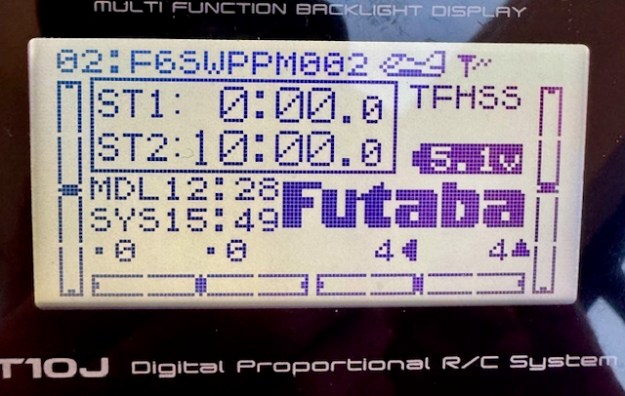
What I am talking about is the missing data in that photo above – of the main Futaba menu on the T10. There is no Receiver battery voltage showing, nor Receiver signal strength – it should be three little bars in that empty top right hand corner of the menu. My T6 transmitter is the same.

I can’t be the only one!!

So if you have the same problem, this is how you fix it. There’s one little thing to adjust, plus a BIG thing to fix. Let’s do the little one first. On your main menu of the T6 and T10 it says FUTABA in big letters – see it above? Well, that is where you want the onboard receiver battery voltage to be displayed. Go to the PARAMETER/PRMTR menu and use the manual (easy) to change that field. It can be a few things but choose “telemetry”. You’ll manage that easily, but if you are same as me, you’ll still see no data.
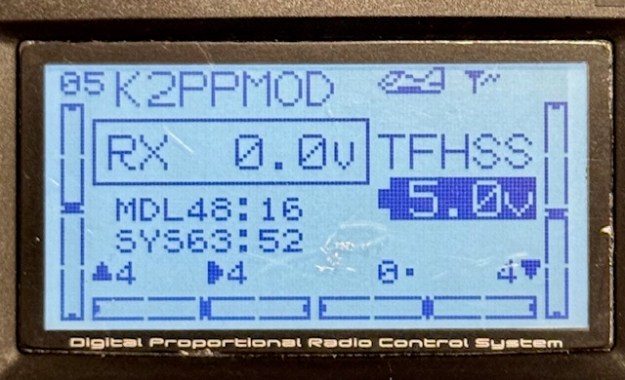
This is the T6 main menu showing (incorrectly) RX 0.0V and no signal strength

This is the same on T10….

If you go to the Telemetry menu on my Futaba T10 it said “No RX Data”. I’ve been racing the boats fine for two years… well, you just ignore these niggles don’t you!!

So why does it say “No RX Data”??

“Pairing” versus “Linking”

In Futaba-speak, it’s important know there is a difference between “pairing” and “linking” a Receiver. Pairing lets you waggle the rudder and mainsheet. Linking lets the receiver send data from the boat receiver to the transmitter. You need to complete both processes. It needs a modern-ish Receiver too. It needs to run the T-FHSS protocol – that’s the newer one that supports data transfer. So check that to see if your receiver supports T-FHSS… it probably does.

1/ Power up the transmitter and the boat. Go to your MDLSEL menu for this boat. If you have multiple models I suspect you need to do it for each one. I use one “Model” for all my IOM Rigs, so that’s easy enough. However, on my Marblehead I use a different “Model” for each Rig…. so I need to repeat this 30 second job, for each “Model” of Marblehead-Rig combination. You may be the same.

2/ There should be a field saying “LINK”

On my Futaba T10, that field was “XXXXXXXX”. It needs to say the serial number of the Receiver you are using. Use the JOG key to toggle down to the LINK field and try to change it – I think by holding the JOG key down. The menu suddenly tells you to unplug the battery and plug it back in. You get 20 seconds of bleeping to complete the operation. Do that and you should be in business.

Update: I just discovered on the T10J that I had to fix the PARAMETER field plus the LINK step for each “Model” (Rig). However, on the T6K fixing the whole thing once, seemed to fix it for all “Models”.
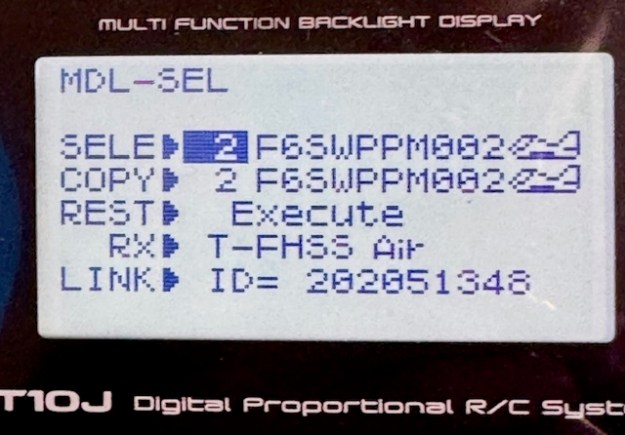
Now that LINK field has XXXXXX replaced with 202051348.
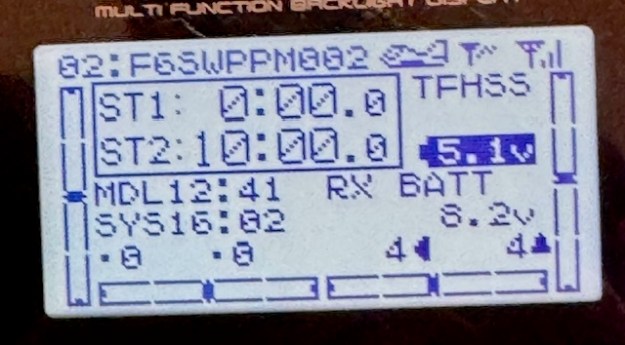
Immediately the receiver starts transmitting data. See the three strength bars in the top right hand corner and the `RX Battery reading 8.2v.

I thought it would be the same on my Futaba T6 but instead of XXXXXXX it said “221850611”
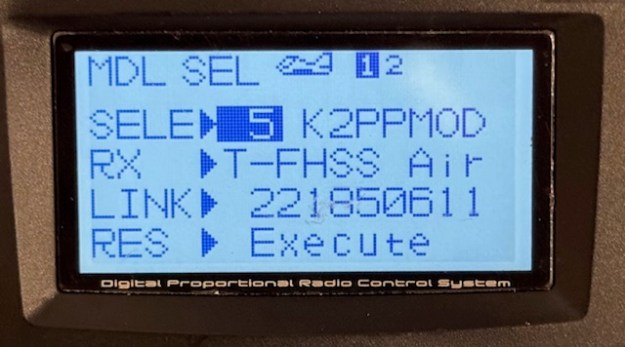
Disheartened for a moment, I realised that in the workshop they probably do batches of boats at a time – easy for something to go wrong.
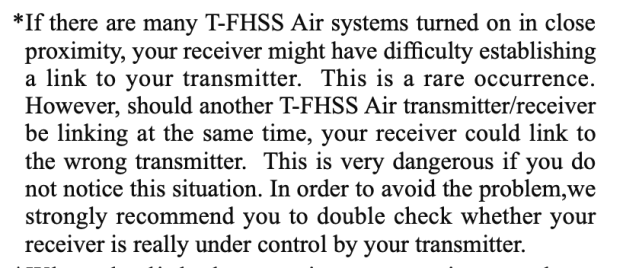
(The “Small Print” in Linking Instructions…)
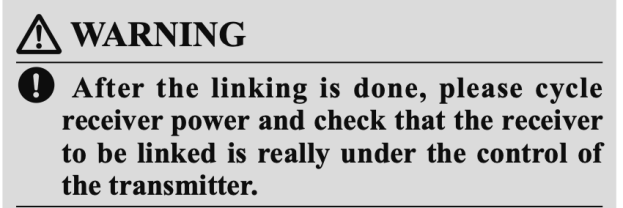
Maybe it got “linked” to a boat it wasn’t paired with….So I tried to change the field as before using the JOG key. And as before it simply said to disconnect the battery then plug it back in.

Now you should see your telemetry data !

Signal strength is in the top right hand corner, and onboard rx battery strength clearly shown !!

FR Sky Transmitters…!!

I managed to get my hands on one of these a couple of days ago. From the airplane and gliding world, the FrSky Tandem X20….. Bit of a wow. It was interesting to see what they use over in flying.

They cost about double (450GBPs) what radio sailors would think of as “pricey”, but can you tell the difference?

Amazingly – a resounding “yes”…. the feel was a huge step up from what we are used to. The body was a lot more solid (alloy maybe) and interestingly weighed about 900g so a bit heavier than common radio sailing transmitters. It felt very good in my size/shape hands. The “Apple” of transmitters maybe.

Gimballs (“Hall gimbals”) very smooth and more central on the console which somehow gave a nice balance (nearer centre of gravity perhaps) while you used it. Thinking about it more, if you move the screen to the top of the unit (most of our transmitters have the screen at the bottom), you can then move the gimbals down lower on the console itself.

Another thing I noticed was that the gimbals can be rotated slightly for those in search of more comfort over longer periods. Somehow, the whole thing looked more showerproof too. Really tightly fitted together.

When we decided to write the radio sailing manual for Radiomaster transmitters, I came across FrSky because the previous range FrSky along with Radiomaster use the same OpenTX software. FrSky seem to have abandoned that OpenTX strategy now as it was holding them back. They have done their own modern looking operating software called EthOS. That’s amazing too – it’s like having a full iPhone aboard, …all icons, colour and sexiness. Lots of preloaded configurations for power mixing and the like.

I might have misunderstood, but the owner said you could send updates (like custom model configurations) to it “over the air”…. so he can swap configurations with friends very easily.

The owner of the unit that I tried was a Competition Gliding fan. I asked what he used previously, and interestingly he had a Spektrum DX6E – which of course is very common in sailing.

Way over-configured for the needs of radiosailing, but it was interesting to see what £450 would buy you.

Beginner’s Guide : Choosing the Switches on Your Radio Transmitter…..!!

Do you think radio control aircraft flyers ever get cold hands?? I’m beginning to wonder…

Maybe they don’t!! Radio Sailors on the other hand usually do want some warm, dry, hand protection and it’s extremely usual for us to use “Transmitter snugs” to keep our fingers warm !!

Our transmitters are generally model aircraft transmitters and we use a tiny proportion of their capability in Radio Sailing. Not all of them come with switches for aircraft pilots to play with, but the more you pay the more switches you will see on there. Lets be clear – far fewer radio sailors use ANY of the switches, but if you find yourself tempted quite possibly your transmitter is festooned with the them..

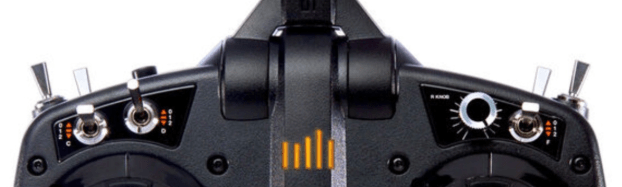
By “switches”, I am referring to those little silver spikey things such as the ones you can see in the photos above. If you are tempted to try one of these switches for sailing, then read-on.

In way of a suggestion, consider whether when inside a “transmitter snug” the switches can get inadvertently flicked/activated by the very material that is keeping your hands warm. Certainly when you take your hands out of the snug and perhaps place the transmitter to one side, you are open to this happening.

It won’t happen on the Radiomaster Pocket (switches safely recessed) but Flysky, Spektrum and the Futabas generally have them running along facing you on what I think of as “the top” …. meaning the console where the joysticks are located. Futaba and Spektrum also have switches on the back panel, slightly hidden away from you. To make it more interesting there are often two different switch arm lengths. What I have been finding is that the longer switch arms (lovely action!!) are the ones that can snag on the inside of the transmitter snug. When it happens, it’s quite difficult to spot until something doesn’t work on the boat as you expect…. usually at a crucial moment!!

The Flysky I tried at the weekend additionally needed those switches all in the off position just to power up successfully. The Flysky only has switches along “the top” if I recall correctly. (see photo above)

So my suggestions if you really, really want to try switches would be :-

1/ Choose the short stubby switches if you can, as they are often “protected” against snagging by a tall switch located next to them.

2/ Consider only using short stubby switches on the back panel if it fits your way of thinking. A reduced chance of snagging back there….

3/ If you get cross, don’t throw away that transmitter snug!!