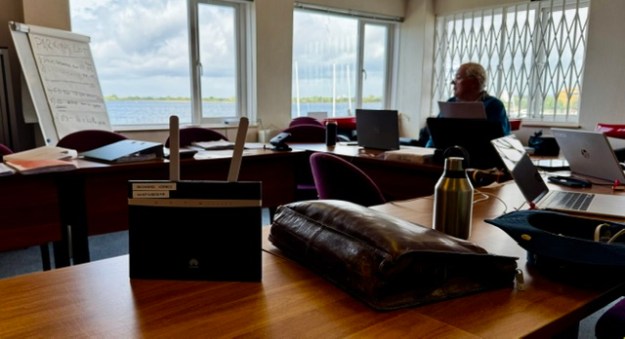
Scoring is easy right? What could possibly go wrong?
Actually scoring really is easy when everything is running smoothly. The challenge for any Club is to know how to handle scoring affairs when something jumps off the rails. As it probably will.
Let’s set aside the morning during the Nationals that my car sunroof spontaneously exploded while driving and showered me with glass. Thankfully not on the highway at speed. However, at a Championship that you might run, just know how your team will cope with a member not arriving for any reason.
The Systems:-
We have mature, proven scoring platforms out there. At the Worlds, we had great (new) hardware in duplicate and triplicate.
This website contains other material about protecting your Club reputation from conventional hardware glitches. There will probably be some. Did we get one of those? Yes, we did.
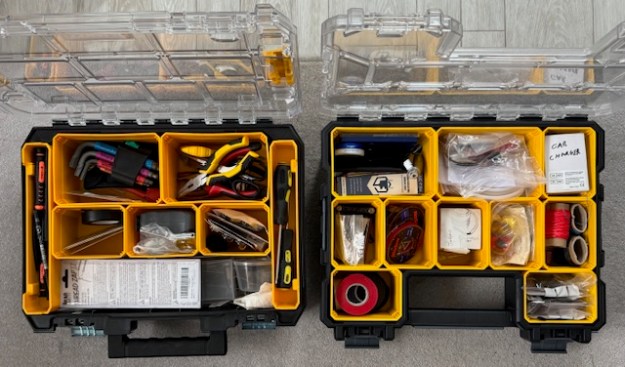
We had Windows 10 and 11 systems in use. Our PRO had advised that his Windows10 system (goes out of support in 2026?) was very robust. Consequently we had our additional Windows10 system running on nice Dell hardware – nice until in the middle of scoring a heat, the battery gave out. Honestly, we had to run to find screwdrivers small enough from the K7 van. It was “back off” time for the Dell. The Team did a great job of sorting that out while HMS Excel scoring continued on the HP. In an hour, it was back on the air.
The team was far more concerned about software issues, and luckily our team had a Microsoft professional on board. We needed him!!
First off – let me say that I have used HMS Excel at every regatta and championship I have ever scored (3 years, including 3 Nationals and now the Worlds). I adore the product. I love the thing. It comes from an era which is probably the last time that I felt that I understood what was going on in the technology. I’m from the “life is a spreadsheet” generation.
Designed and written by some very gifted and talented people (Henry Farley et al), it’s really very clever and does the job. Used all across the UK, and in plenty of Clubs worldwide. It’s reasonable for us all to think it has been used so many times, is so stable, that it’s the way to go.
We have to remember though that when you press the button in our Excel spreadsheet, over 90% of the machine instructions that get executed are outside the spreadsheet. The executed instructions are mainly in Excel 365 and Windows 11. On our system, the operating system and Excel are updated by microsoft every 20 days or so. It’s actually a very dynamic environment – constantly changing. Not stable at all.
Good advice from the PRO was to have Windows 10, but that goes out of support soon. So we did what seemed natural – and had both. One laptop for each.
The general direction with Microsoft is that going forward if your application was not distributed through the MS App Store (read “fees and costs”), it could be unsafe. They don’t like VB macros or Active X code. HMS has loads of that. It’s what makes it special.
These days, if you buy a new family laptop with Windows 11 Home edition (we have an HP), it comes with Safe-Mode (“S-Mode”) already enabled. You need to switch it off to run HMS. It’s a one way process and no going back. You’ll think twice before doing it. Probably when we all see windows/12 come along, it’ll be even tighter. They don’t like VB and ActiveX. We reckon no family wants to do that switch off process with their household laptop. The general drift will have to be toward dedicated HMS laptops as the years wander by. No problem – but someone needs to think about that trajectory and how the sport best caters for it. Not impossible at all.
Graham Bantock has advised me a couple of times that if you get an HMS software problem, the first thing you notice is that people will tell you that it doesn’t happen on their system. Never a truer word. So how did we get on??
1/ Going back to 2025, we have had a few “white screen” moments on Windows/11. Everything locks up. To get passed it at first, we did complete system re-boots (2-3 minute delay?) which seemed to fix it. We now suspect that simply forcing Excel365 to quit and then restarting the spreadsheet is enough. At the Worlds, we built this close/reopen of Excel into our backup process (suggested originally by Andrew Crocker) at each heat completion. The problem didn’t come back.
2/ MS Cloud Failure :
At our Dress Rehearsal, the IOM Nationals, we had our first big challenge for our HMS Excel setup. We were running on Windows/11 and suddenly we couldn’t communicate. No email. Then we realised that MS OneDrive (MS Cloud) had gone down. It stayed down for 20 hours. Naturally, we thought it was something we had done, but after 20 hours it just popped back online again. . A minor impact was that our third level of data backup ceased working. …OK – no big deal…. The huge thing for us was that we were sending results to the event webmaster via email. So we could not get results to him. It seems that on Windows/11 and Excel/365, the Outlook mail server needs One Drive running as it seems to keep its contact folders (or something) in there. No Cloud, so email stops.
After two hours our Microsoft expert found the circumventions. (a) the problem did not occur on our hot standby laptop with its Windows/10 system – see PRO advice! (b) it was still possible to use the mail service via its own dedicated email website portal. Still – it was a fight to figure this out and STAY SCORING for a couple of hours.
3/ Visual Basic Error 1004
This was our big one. Life threatening stuff. My medications were at home!!
We had a wave of after-the-event Umpire decisions arrive to apply to the scores already in the system. Nothing complex and we had sixteen heats already inside HMS. How many results is that? It’s about 350 boat scores. We made the umpires’ alterations – nothing we haven’t done before many times and suddenly we got “Visual Basic Error 1004″… telling us to log in to VB. Multiple attempts to get past this point kept locking up with Error 1004 – but with varying messages.
If it had happened later in the regatta, maybe after five days, it would have been a “game over” moment.
HMS Excel, or any system, doesn’t get used often at the maximum 84 boats level. With this combination of Windows/11 and Excel365 we could quite possibly have been the first. Anyway – we were stuck at sixteen heats and simply nothing would go in. Properly stuck.
(As a team with four software guys in it, we had a feeling as to what the Error 104 was getting at. For sure, our theory will not turn out to be what it was, but we shall write about it later on this website.)
In a somewhat religious moment, I spotted Graham B right outside the Scoring Room door. Graham’s amazing and very, very calm… and a World authority on HMS. Honestly – It was like being knocked down by an ambulance.
Graham listened carefully to our problem description then simply said, “You need to speak to Lester”. We called Lester straight away. God surely does exist as Lester answered immediately.
Lester’s advice was that when Error 1004 starts, it never, ever, goes away. You have two choices – step back through the backups until you find one that works (takes time), or… bite the bullet and go right back to an empty spreadsheet and start all over again. Enter the Umpire decisions in the normal in the normal flow and not after the event. Enter those 350 results from the beginning.
That’s what we did. The Commodore stepped in to help me reload the entire regatta to date. The team carried on scoring into the Parallel System. It took around two hours to diagnose, re-enter and check – then catch up with real time.
Frankly – I thought I was going to die. Stress is hardly a good word.
That’s what we had a parallel system for, of course. We could switch across at any time and keep going. In the heat of the moment, we knew how all that was going to work. However, we had not thought out an approval process to permit the scorers to dump one of the scoring platforms and keep going on the other. Interesting.
At this moment, we still had around 4-5 days of Championship to go. So what did we do??
1/ We booted up all three Windows Laptops, full time.
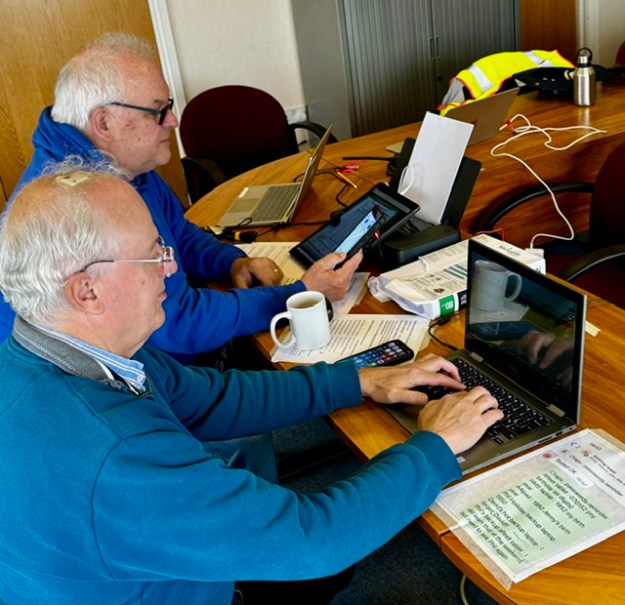
2/ From this point on, we ran two full HMS Excel systems in parallel, plus the Afleet system. We named our laptops “HMS Primary” and “HMS Secondary” and carried out our documented process flow as normal. The team were fantastic.
3/ We permanently had our third Windows laptop switched on as our “lab rat”. If we had any late umpire decisions, or anything of that ilk, we separately tested each of them singly on the lab rat before applying them to the main systems. When we eventually came to apply all the (eleven) standard redress awards on the penultimate day, they were all tested one by one on the lab rat before applying to the two main systems. Takes time – but we survived. Processing the Standard Redress awards, checkingand testing them took at least two hours. There were complaints that we were slow getting results out. I could have murdered anybody who came in and tried that on me.
We did our Standard Redress modelling on a separate MacAir system.
Now : as you know we have been all out, all year, to be extremely even handed in our support and appreciation of the two fabulous scoring systems we elected to use at this Championship. All you HMS Excel fans will be wondering if our team could now list ALL of the problems we had scoring this 84 boat, 6 day event on our AFleet tablets. So here they are, listed chronologically:-
.
.
.
.
.,
.