Tag Archives: receiver

Receivers and Confined Spaces…. Part 1 of 2

Like you, I know lots of radio sailors.

Around a year ago, when I was getting frustrated by Transmitter Manuals covering only airplanes, gliders, helicopters and drones… it was then that we decided that we would have to write our own user manuals for radio sailing transmitters (see Category on this website called “Transmitter Manuals”). The manufacturers are not going to lift a finger for us!! We are actually too small community for the moment. By the way, our radio sailing transmitter manuals are by far the most popular download on our website.

I was pretty encouraged to learn that MYA has 2,200+ members in UK. Good!! Did you know that around 1,500 people globally watched the IOM worlds on Youtube each day. Very good!!

Then I checked the number of licensed drone devices in the UK and found it was 500,000…. which puts us in proportion maybe. It’s therefore no surprise that we end up using RC flying radio gear adapted to sailing, buying transmitters with far more channels than we need and so on. I was beginning to realise that in radio sailing we are a tiny, tiny market. Then my Central Heating engineer came to do our annual boiler service and it turned out he is a radio control flyer.

The back of his van was half dedicated to plumbing kit and the other half given over to Radio Control flying. Fantastic in there – like the back of Phil H’s car! Our engineer’s big passion is for duration gliding competitions. In the back of the van he had a big glider plus a “flying wing”. I’d never heard of flying wings, have you?
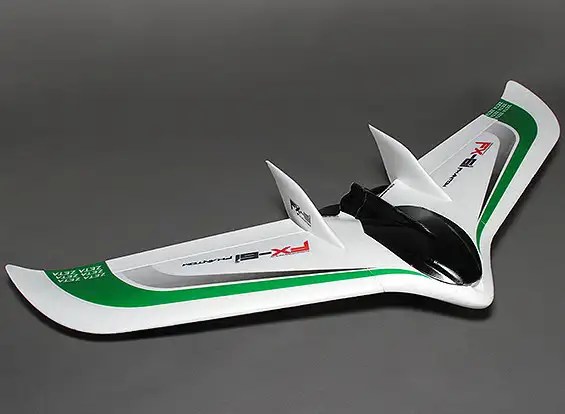
Basically, just two Wings bolted together with hardly any fuselage at all. It’s all the rage apparently.

Intrigued, I googled to find if radio flyers have an equivalent to MYA… and they do. In UK it has 750 Clubs affiliated. So what would you think? Perhaps 10 members per club average? So at 7500 members it would be three times the size of radio sailing? I then used their website to find my local RC Flying Club. It’s in Bromley, just over the hill from here. Number of members?? ….. not 10, but 200…… blimey.

So where do all the servos, receivers and antennae go in a flying wing? The amazing answer is that they want them inside the wing structures. They want FLAT devices… and FLAT might also mean LONG. Perhaps more importantly this means they want plugs into the receiver in-line (not at right angle), so that definitely means LONG.

Oddly enough, in radio sailing we do have confined spaces for Receivers in our boats, but the spaces are not generally all that large. We also want them away from damp and water. We often, but not always, use a pot of some kind to host the receiver and on-board battery. We’ll lay out a few implications in part 2 of this article.

To read Part 2, click here
Futaba Users !!… Missing Receiver Telemetry Data?? … Is Your Receiver Paired But Not Linked Perhaps?!!

This has been bugging me for a while. At last I’ve cracked it. Ever so pleased…

Are you a Futaba User who has not been able to make their transmitter show the onboard telemetry ?? By which I mean the onboard battery voltage and receiver signal strength!!

I can’t be the only one, can I??!! If you look online, there’s no shortage of RC Flyers asking the same thing.

I have two Futabas – different boats, from different suppliers (one transmitter direct from the Futaba distributor, I recall….) and in fact from different countries. Both the transmitters came with the Receiver ready paired to the boat receiver by Futaba!! Both are missing the telemetry data.

Despite the advertising clearly saying that onboard telemetry is included, mine has never worked. Has yours?!!

To make it worse, I set up a FlySky a couple of weeks ago and the telemetry worked straight away. Same with my Radiomaster, same with my Spektrum. You can tell, I’ve been cross….

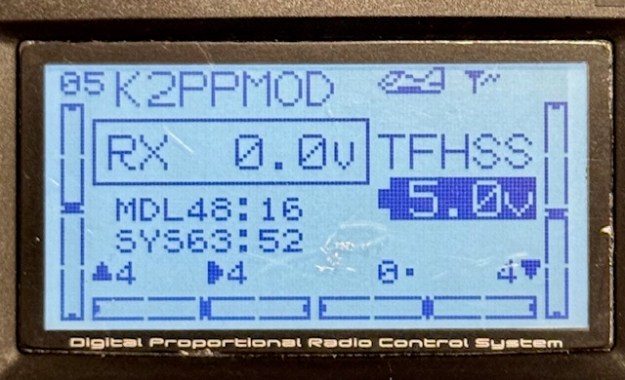
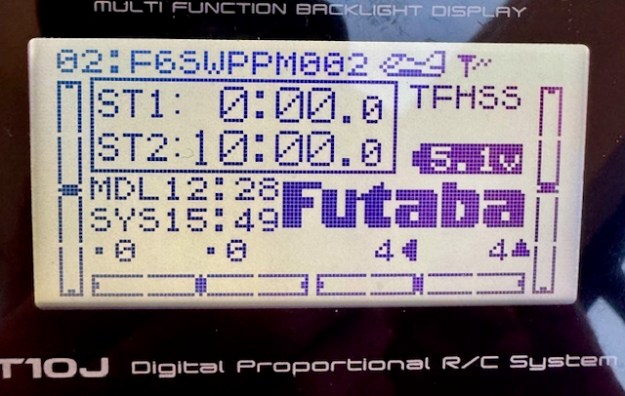
What I am talking about is the missing data in that photo above – of the main Futaba menu on the T10. There is no Receiver battery voltage showing, nor Receiver signal strength – it should be three little bars in that empty top right hand corner of the menu. My T6 transmitter is the same.

I can’t be the only one!!

So if you have the same problem, this is how you fix it. There’s one little thing to adjust, plus a BIG thing to fix. Let’s do the little one first. On your main menu of the T6 and T10 it says FUTABA in big letters – see it above? Well, that is where you want the onboard receiver battery voltage to be displayed. Go to the PARAMETER/PRMTR menu and use the manual (easy) to change that field. It can be a few things but choose “telemetry”. You’ll manage that easily, but if you are same as me, you’ll still see no data.

This is the T6 main menu showing (incorrectly) RX 0.0V and no signal strength

This is the same on T10….

If you go to the Telemetry menu on my Futaba T10 it said “No RX Data”. I’ve been racing the boats fine for two years… well, you just ignore these niggles don’t you!!

So why does it say “No RX Data”??

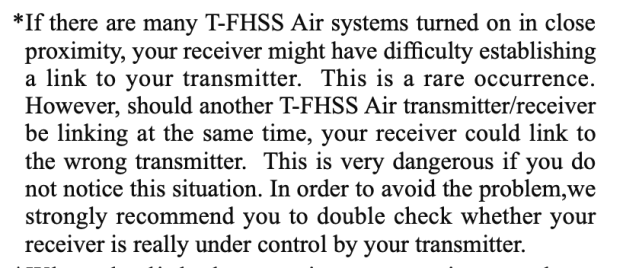
“Pairing” versus “Linking”

In Futaba-speak, it’s important know there is a difference between “pairing” and “linking” a Receiver. Pairing lets you waggle the rudder and mainsheet. Linking lets the receiver send data from the boat receiver to the transmitter. You need to complete both processes. It needs a modern-ish Receiver too. It needs to run the T-FHSS protocol – that’s the newer one that supports data transfer. So check that to see if your receiver supports T-FHSS… it probably does.

1/ Power up the transmitter and the boat. Go to your MDLSEL menu for this boat. If you have multiple models I suspect you need to do it for each one. I use one “Model” for all my IOM Rigs, so that’s easy enough. However, on my Marblehead I use a different “Model” for each Rig…. so I need to repeat this 30 second job, for each “Model” of Marblehead-Rig combination. You may be the same.

2/ There should be a field saying “LINK”

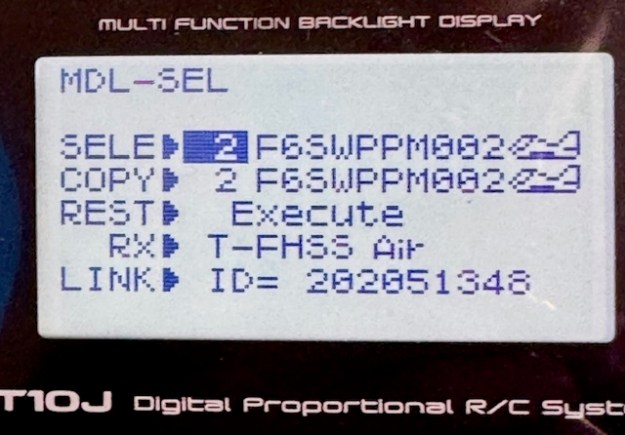
On my Futaba T10, that field was “XXXXXXXX”. It needs to say the serial number of the Receiver you are using. Use the JOG key to toggle down to the LINK field and try to change it – I think by holding the JOG key down. The menu suddenly tells you to unplug the battery and plug it back in. You get 20 seconds of bleeping to complete the operation. Do that and you should be in business.

Update: I just discovered on the T10J that I had to fix the PARAMETER field plus the LINK step for each “Model” (Rig). However, on the T6K fixing the whole thing once, seemed to fix it for all “Models”.

Now that LINK field has XXXXXX replaced with 202051348.

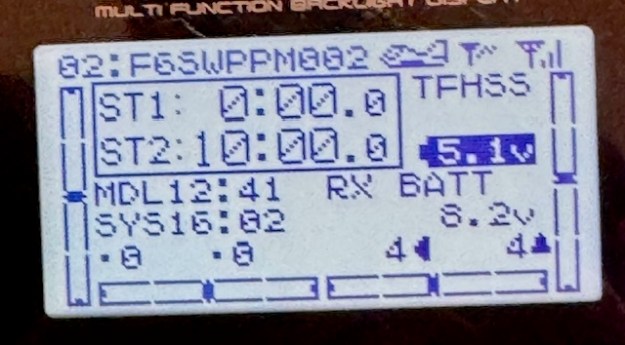
Immediately the receiver starts transmitting data. See the three strength bars in the top right hand corner and the `RX Battery reading 8.2v.

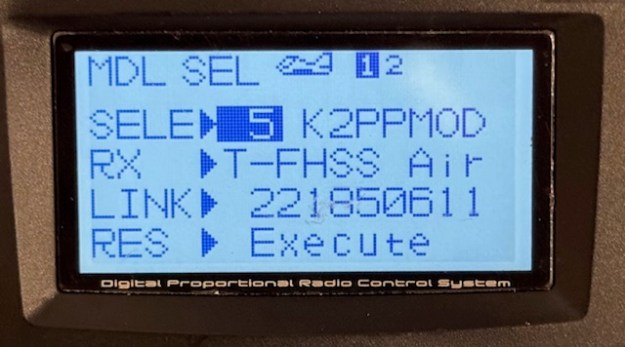
I thought it would be the same on my Futaba T6 but instead of XXXXXXX it said “221850611”

Disheartened for a moment, I realised that in the workshop they probably do batches of boats at a time – easy for something to go wrong.

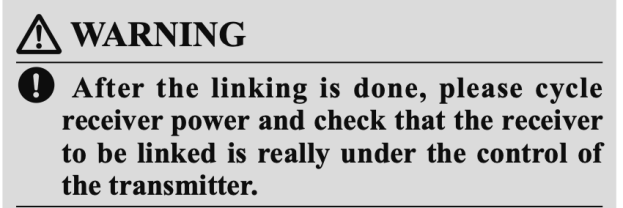
(The “Small Print” in Linking Instructions…)

Maybe it got “linked” to a boat it wasn’t paired with….So I tried to change the field as before using the JOG key. And as before it simply said to disconnect the battery then plug it back in.

Now you should see your telemetry data !

Signal strength is in the top right hand corner, and onboard rx battery strength clearly shown !!

More on Waterproofing Your Electronics with Corrosion X – Video on Sealing Up DF95 Electrics ….!!

New member, Andrew G, has pointed me to this great and useful DF95 video about waterproofing your onboard receiver and other onboard electronics using “Corrosion X”

One of the notable things to me is that they are using a pointed 1oz dropper bottle to dispense the fluid. It looks like in North America 1oz dropper bottles of Corrosion X are easily available. At the time of writing, in UK I haven’t found this product packaging. The same company are doing a fishing reel lube called SpeedX in a 1oz dropper bottle, but that seems to be it.

I’d rather have some small amount of Corrosion X in the boat tool box and with me all the time. I find through past experience that if the cap comes off those dropper bottles it will leak everywhere. Instead, I am going to try one of these (very cheap on Amazon)

It has quite a pointy end on the pipette which I thought might be better for this particular job, than the ones with olive oil to stick in your ear! And once that lid is screwed in, I reckon you are going to be safe against leaks in transit. The bottle size I chose is 50ml… so about 3 tablespoons – that should easily be enough for radio sailing.