
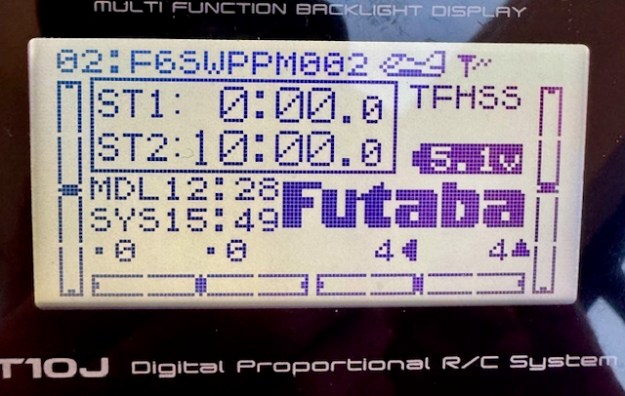
This has been bugging me for a while. At last I’ve cracked it. Ever so pleased…
Are you a Futaba User who has not been able to make their transmitter show the onboard telemetry ?? By which I mean the onboard battery voltage and receiver signal strength!!
I can’t be the only one, can I??!! If you look online, there’s no shortage of RC Flyers asking the same thing.
I have two Futabas – different boats, from different suppliers (one transmitter direct from the Futaba distributor, I recall….) and in fact from different countries. Both the transmitters came with the Receiver ready paired to the boat receiver by Futaba!! Both are missing the telemetry data.
Despite the advertising clearly saying that onboard telemetry is included, mine has never worked. Has yours?!!
To make it worse, I set up a FlySky a couple of weeks ago and the telemetry worked straight away. Same with my Radiomaster, same with my Spektrum. You can tell, I’ve been cross….
What I am talking about is the missing data in that photo above – of the main Futaba menu on the T10. There is no Receiver battery voltage showing, nor Receiver signal strength – it should be three little bars in that empty top right hand corner of the menu. My T6 transmitter is the same.
I can’t be the only one!!
So if you have the same problem, this is how you fix it. There’s one little thing to adjust, plus a BIG thing to fix. Let’s do the little one first. On your main menu of the T6 and T10 it says FUTABA in big letters – see it above? Well, that is where you want the onboard receiver battery voltage to be displayed. Go to the PARAMETER/PRMTR menu and use the manual (easy) to change that field. It can be a few things but choose “telemetry”. You’ll manage that easily, but if you are same as me, you’ll still see no data.
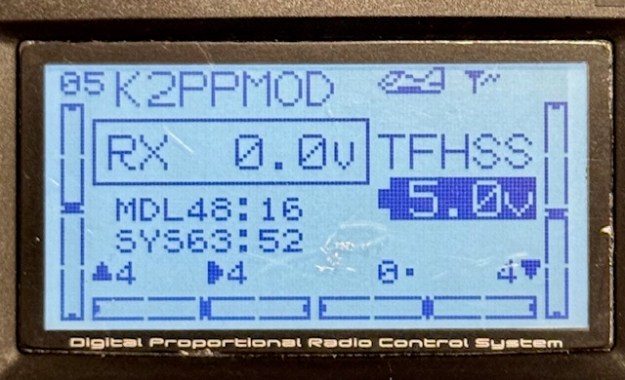
This is the T6 main menu showing (incorrectly) RX 0.0V and no signal strength

This is the same on T10….
If you go to the Telemetry menu on my Futaba T10 it said “No RX Data”. I’ve been racing the boats fine for two years… well, you just ignore these niggles don’t you!!
So why does it say “No RX Data”??
“Pairing” versus “Linking”
In Futaba-speak, it’s important know there is a difference between “pairing” and “linking” a Receiver. Pairing lets you waggle the rudder and mainsheet. Linking lets the receiver send data from the boat receiver to the transmitter. You need to complete both processes. It needs a modern-ish Receiver too. It needs to run the T-FHSS protocol – that’s the newer one that supports data transfer. So check that to see if your receiver supports T-FHSS… it probably does.
1/ Power up the transmitter and the boat. Go to your MDLSEL menu for this boat. If you have multiple models I suspect you need to do it for each one. I use one “Model” for all my IOM Rigs, so that’s easy enough. However, on my Marblehead I use a different “Model” for each Rig…. so I need to repeat this 30 second job, for each “Model” of Marblehead-Rig combination. You may be the same.
2/ There should be a field saying “LINK”
On my Futaba T10, that field was “XXXXXXXX”. It needs to say the serial number of the Receiver you are using. Use the JOG key to toggle down to the LINK field and try to change it – I think by holding the JOG key down. The menu suddenly tells you to unplug the battery and plug it back in. You get 20 seconds of bleeping to complete the operation. Do that and you should be in business.
Update: I just discovered on the T10J that I had to fix the PARAMETER field plus the LINK step for each “Model” (Rig). However, on the T6K fixing the whole thing once, seemed to fix it for all “Models”.
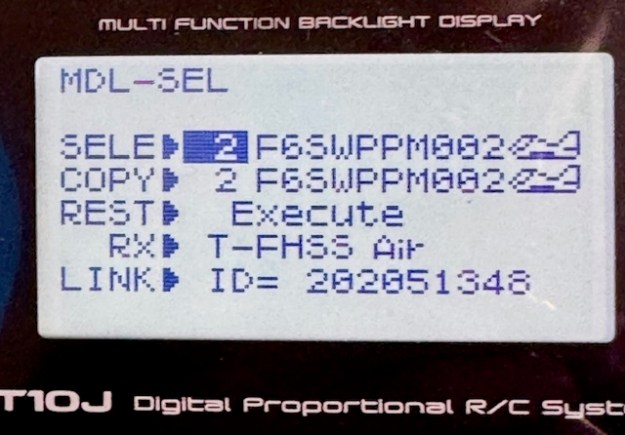
Now that LINK field has XXXXXX replaced with 202051348.
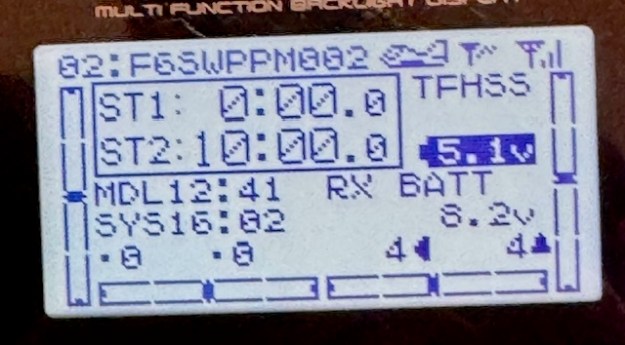
Immediately the receiver starts transmitting data. See the three strength bars in the top right hand corner and the `RX Battery reading 8.2v.
I thought it would be the same on my Futaba T6 but instead of XXXXXXX it said “221850611”
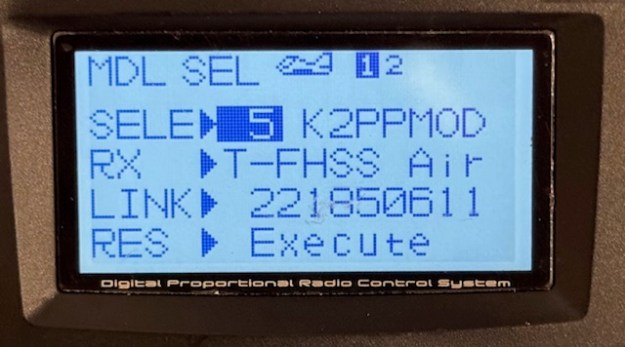
Disheartened for a moment, I realised that in the workshop they probably do batches of boats at a time – easy for something to go wrong.
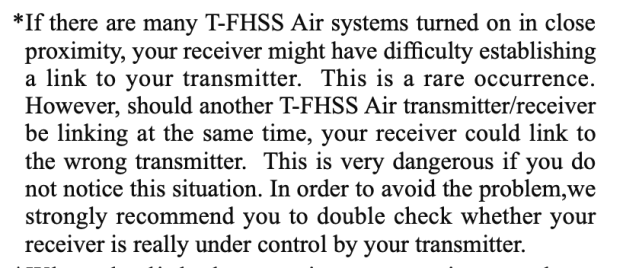
(The “Small Print” in Linking Instructions…)
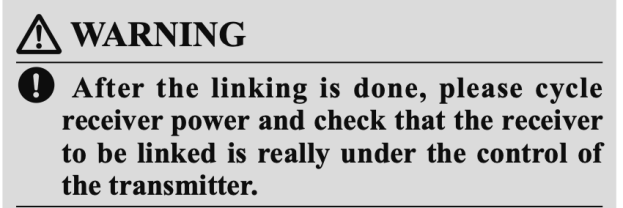
Maybe it got “linked” to a boat it wasn’t paired with….So I tried to change the field as before using the JOG key. And as before it simply said to disconnect the battery then plug it back in.
Now you should see your telemetry data !

Signal strength is in the top right hand corner, and onboard rx battery strength clearly shown !!


 Datchet Radio Sailing - Making It All Much Easier !!